Model Prices
The model price table holds the per-token prices that Kloudfuse uses to calculate the cost of agent spans, shown in Trace Cost & Usage. Kloudfuse includes prices for common models, and administrators can edit them or add their own. To open the table, go to Admin > AI Integrations > Model Prices.
How a span gets its cost
When a span is ingested, Kloudfuse uses the first of these that applies:
-
Cost on the span. If the span reports its own cost, Kloudfuse uses that amount and does not consult the table. Kloudfuse reads this from
litellm.cost.totalon LiteLLM spans, and fromgen_ai.usage.input_costandgen_ai.usage.output_coston OpenRouter spans. -
Your edited or added price. A price an administrator set in this table.
-
Built-in price. The default price included with Kloudfuse.
If none of these applies, the span has no cost, and it appears as Not priced at ingest.
The price table
Each row shows the model, its source, its input, output, cache read, and cache write prices per million tokens, and when it was last updated and by whom. Filter the table by provider, or search by model name.
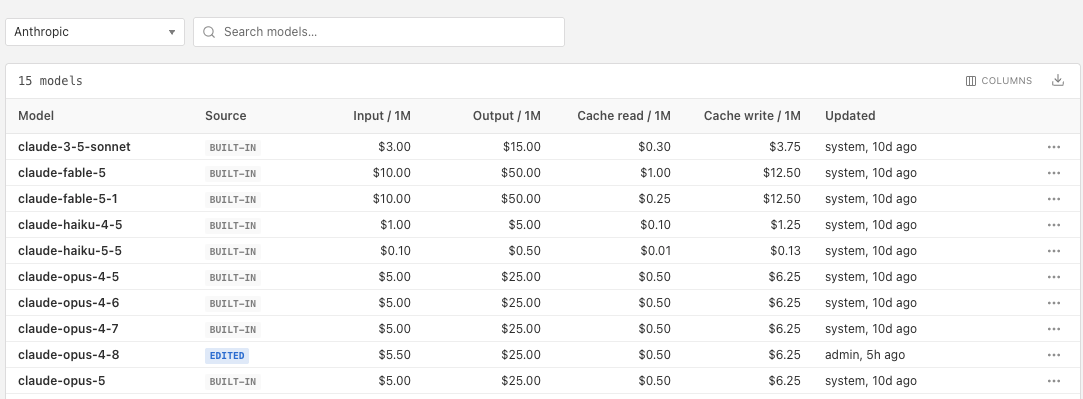
The Source column shows where a price came from:
- Built-in
-
The default price included with Kloudfuse.
- Edited
-
A built-in price that an administrator changed.
- Custom
-
A model that an administrator added.
Edit a price
-
Select the model in the table.
-
Enter the new prices, in dollars per million tokens.
-
Select Save.
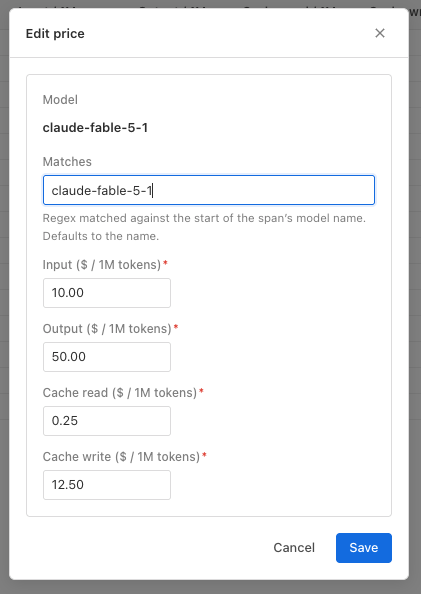
To undo your change, select Revert to built-in from the model’s menu.
Kloudfuse updates its prices every 10 minutes, and incoming spans use the new price after that. Existing spans keep their cost.
Add a model
Add a model when your spans report one that has no built-in price, such as a private or fine-tuned model.
-
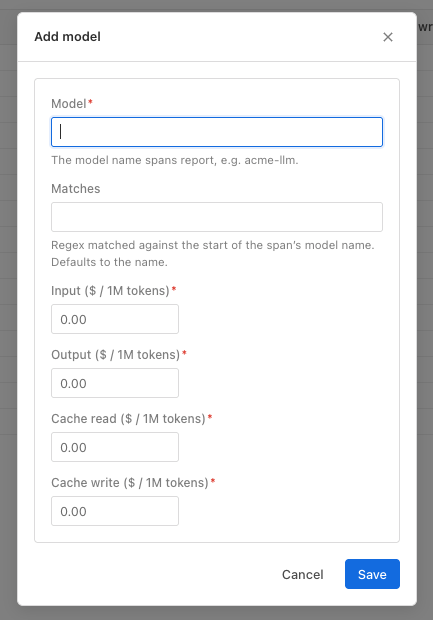
Select Add model.
-
In Model, enter the model name that your spans report.
-
Optionally, in Matches, enter a regular expression to match against the start of the span’s model name. By default, Kloudfuse uses the model name.
-
Enter the prices, in dollars per million tokens.
-
Select Save.
To remove a model you added, select Delete model from its menu. Spans ingested after that no longer use its price, and they are left unpriced unless another price matches. Existing spans keep their cost.