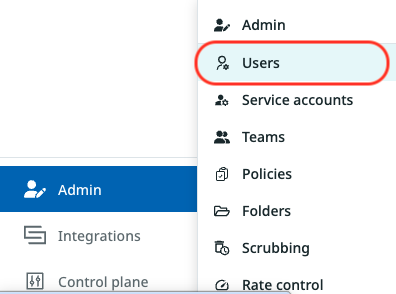
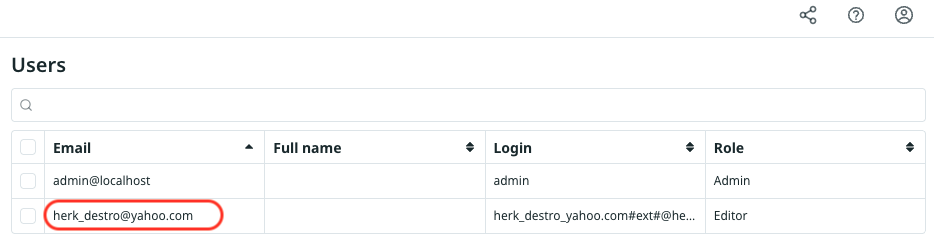
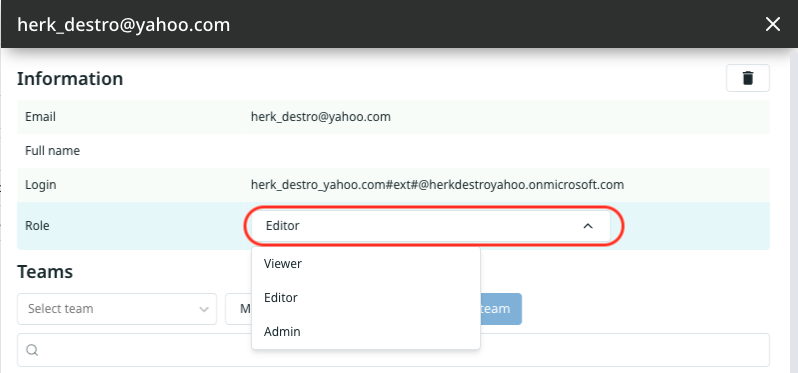
Manually Assigning User Roles Overview If RBAC is not enabled, or if a user does not belong to a role group, you can manually assign their role. Instructions To change a user’s role, follow these steps: Select the Admin tab, and then the Users option in the drop-down menu. In the Users interface, click the user’s name. Select a new role. Confirm the role change.